
Qabala · Features
Print, PDF and WhatsApp
Print your Qabala deed on A4, download it as a PDF, or send the PDF on WhatsApp from your phone. Includes what to do when sharing a file does not work.
When the form is complete, you can print the deed, save it as a PDF or send the PDF on WhatsApp. This page explains each option and what happens on different phones. Whichever you choose, the deed is a sample to print and sign, not a government document.
Where the buttons are
The buttons appear in 2 places:
- On step 4, Witnesses: View Qabala, WhatsApp and Download PDF.
- On the preview screen: Back, Print, Download PDF, WhatsApp and New Document.
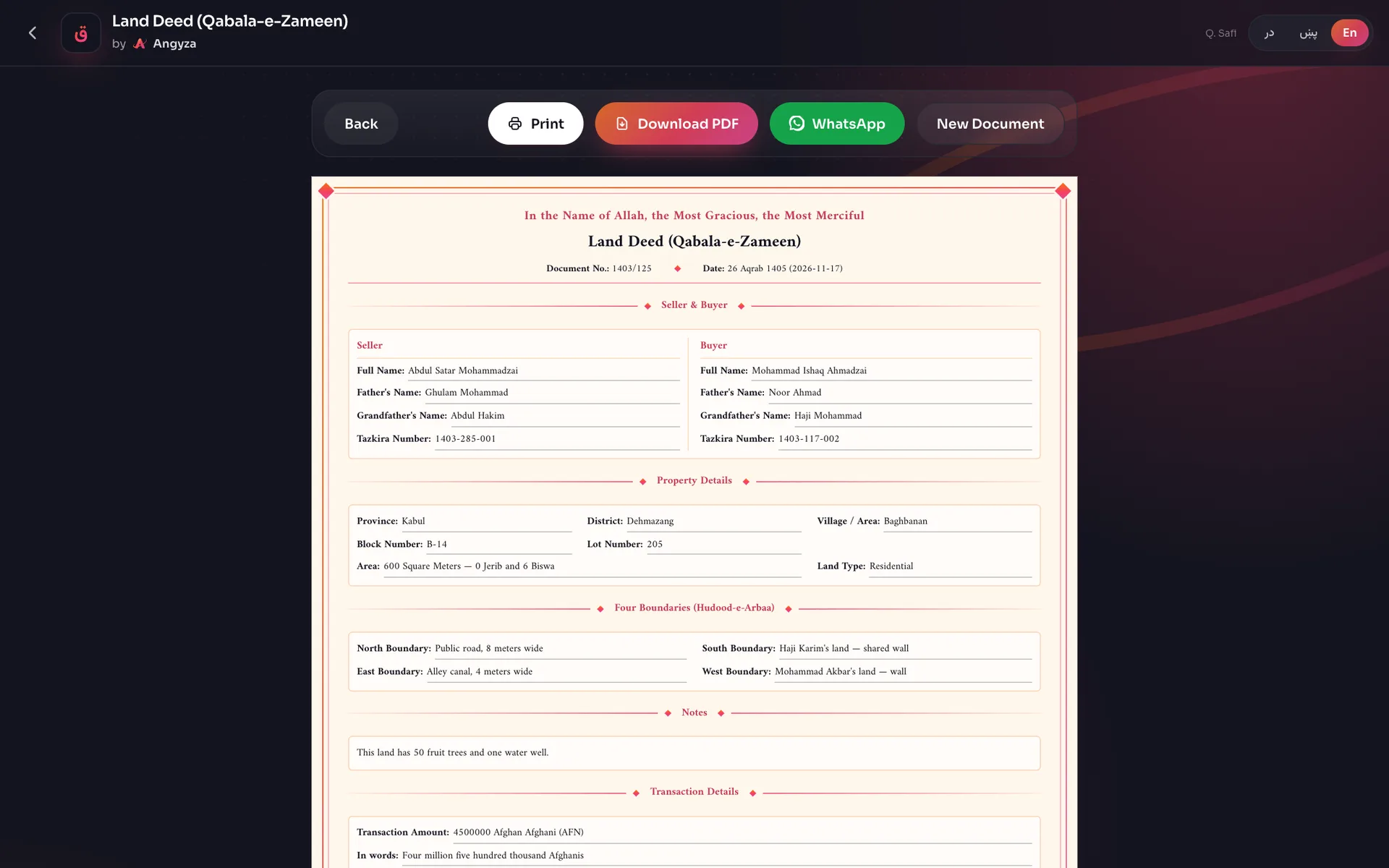
Before making a PDF, Qabala checks the whole form. If a required field is empty, it opens the step with the problem so you can fix it.
Print the deed
Open the preview
On step 4, tap View Qabala. Read the whole deed.
Tap Print
Tap Print. Your phone or computer opens its own print screen with the deed on A4 paper, portrait.
Choose a printer or save
Pick a printer. On most phones you can also choose Save as PDF here. Keep background colors on, so the borders print as they look on screen.
Print one copy for the seller, one for the buyer, and one more if a witness or elder keeps a copy. Each copy needs its own signatures.
Download a PDF
Tap Download PDF. The button shows ... while Qabala builds the file on your phone. The file is saved as qabala-land.pdf (or qabala-house.pdf, qabala-shop.pdf, qabala-vehicle.pdf, qabala-garden.pdf) in your downloads.
The PDF is A4 and has real text, not a photo of the screen, so it stays sharp when printed. It uses the Amiri font, and Pashto and Dari deeds run right to left.
Share on WhatsApp
Tap WhatsApp
Tap WhatsApp on step 4 or on the preview screen. Qabala builds the PDF first.
Pick WhatsApp in the share menu
On most Android phones and iPhones, the share menu opens with the PDF attached. Choose WhatsApp.
Choose the chat and send
Pick the person or group and send. The message says it is a sample qabala for printing and signing, with a link to qabala.angyza.com.
When the share menu does not open
Some browsers, and most computers, cannot share files. Then Qabala does 2 things instead:
- It downloads the PDF to your device.
- It opens WhatsApp (or WhatsApp Web) with the message text ready.
Pick the chat, tap the attach button, and choose the PDF you just downloaded.
Start a new deed
Tap New Document on the preview screen to go back to the home screen. The deed you made is cleared, so download it first if you need it.
After printing
- Have the seller, the buyer and the witnesses sign or put a fingerprint in their boxes.
- Keep the paper copies somewhere safe.