
Qabala · Features
Fill in the form
Go through the 4 Qabala steps (seller, buyer, property and witnesses), add more people, fix error messages and change the declaration text.
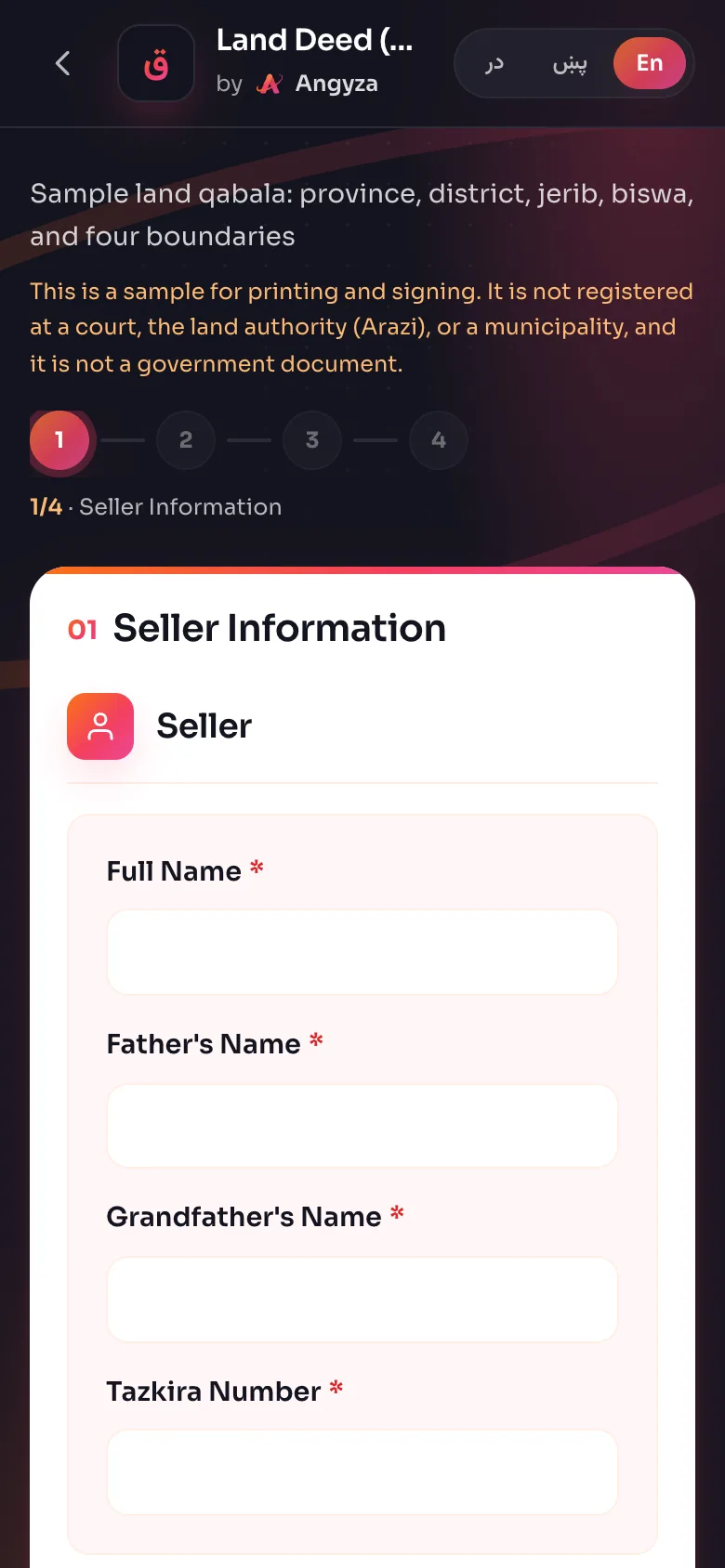
The Qabala form has 4 steps, then a preview. This page explains each step, the error messages you may see, and how to add more sellers, buyers or witnesses. Remember that the result is a sample to print and sign, not a government document.
The 4 steps
The numbers at the top of the form show where you are. A tick means a step is done.
| Step | Name in English | پښتو | دری |
|---|---|---|---|
| 1 | Seller Information | د پلورونکي معلومات | معلومات فروشنده |
| 2 | Buyer Information | د اخیستونکي معلومات | معلومات خریدار |
| 3 | Property Details | د ملکیت مشخصات | مشخصات ملکیت |
| 4 | Witnesses | د شاهدانو معلومات | معلومات شهود |
| 5 | Preview | مخکتنه | پیشنمایش |
Move through the form
Pick the language first
Choose پښتو, دری or English before you type. The language buttons open the same deed type in a new language, and the form starts empty there.
Fill in the seller
Type the Full Name, Father's Name, Grandfather's Name and Tazkira Number. Names need at least 2 characters. Tap Next.
Fill in the buyer
The buyer has the same 4 fields. Tap Next.
Fill in the property details
Start with Document Number and the Solar Hijri date. Then fill in the property fields for your deed type (see Deed types), the four boundaries and the price. Tap Next.
Add the witnesses
Type at least 2 witnesses, then check the Declaration Text. Tap View Qabala to see the deed.
Next only checks the step you are on. If a required field is empty, Qabala marks it in red and stays on the step. Tap Back at any time to change an earlier step. Your answers stay in place while the page is open.
More than one seller, buyer or witness
When land is owned by brothers, or a family buys together, add each person:
- Tap Add Seller on step 1 or Add Buyer on step 2. You can add up to 10 of each.
- Tap + Witnesses on step 4 to add a third or fourth witness. A deed needs at least 2 and can have up to 4.
- To remove a person, tap the × in the corner of their box. It only shows when there is more than the minimum.
The price
Step 3 ends with Transaction Details:
- Transaction Amount (Numeric): the price in digits, for example
4500000. - Currency: Afghan Afghani (AFN), US Dollar (USD) or Euro (EUR).
- Transaction Amount (In Words): the same price in words, for example "Four million five hundred thousand Afghanis".
Writing the price in words as well as digits makes it harder for anyone to change the number on paper later. Read both back to the seller and the buyer before you print.
Notes and the declaration
Notes (optional) on step 3 is for anything else about the property, such as "This land has 50 fruit trees and one water well." Notes show on the deed under their own heading.
Declaration Text on step 4 starts with a standard sentence: the seller sold the property by free will, without pressure, and the buyer accepted it. You can edit it. If you leave it empty, the deed uses the standard sentence.
Error messages
| Message | What to do |
|---|---|
| This field is required | Type something in the red field |
| Enter at least 2 characters | Names, district, village and boundaries need 2 characters or more |
| This is too short. Write a little more | Some fields need more, for example 4 characters for year built, chassis and engine numbers, and 3 for the plate |
| Enter at least two witnesses | Fill in both witness boxes on step 4 |
If you tap Download PDF or WhatsApp on step 4 and something is missing, Qabala takes you back to the step with the problem.
Digits and right-to-left text
You can type numbers in Latin digits (1, 2, 3) or in Pashto and Dari digits (۱، ۲، ۳). Qabala reads both for the area and the date. In Pashto and Dari, the form and the deed run right to left.