
Qabala · Get started
Get started with Qabala
Make your first sample qabala on your phone. Pick a deed type and language, fill in 4 steps, check the preview, then print or share the deed.
Qabala makes a sample Afghan sale deed (qabala) for land, a house, a shop, a vehicle or a garden. This page is for anyone using Qabala for the first time. It takes about 10 minutes, and you only need a phone with a browser.
What you need
Have these ready before you start, so you can fill in the form in one go:
- The full name, father's name, grandfather's name and tazkira number of each seller and each buyer.
- The property details. For land, a house or a garden: province, district, village, area and the four boundaries. For a vehicle: plate, chassis and engine numbers.
- The price, in numbers and in words.
- The names and fathers' names of at least 2 witnesses.
Qabala does not save the form. If you close or reload the page, you start again. See Privacy and data for why.
Make your first deed
Open Qabala and pick your language
Open qabala.angyza.com. Tap پښتو, دری or English at the top. The form and the deed use the language you pick, so choose it before you start typing.
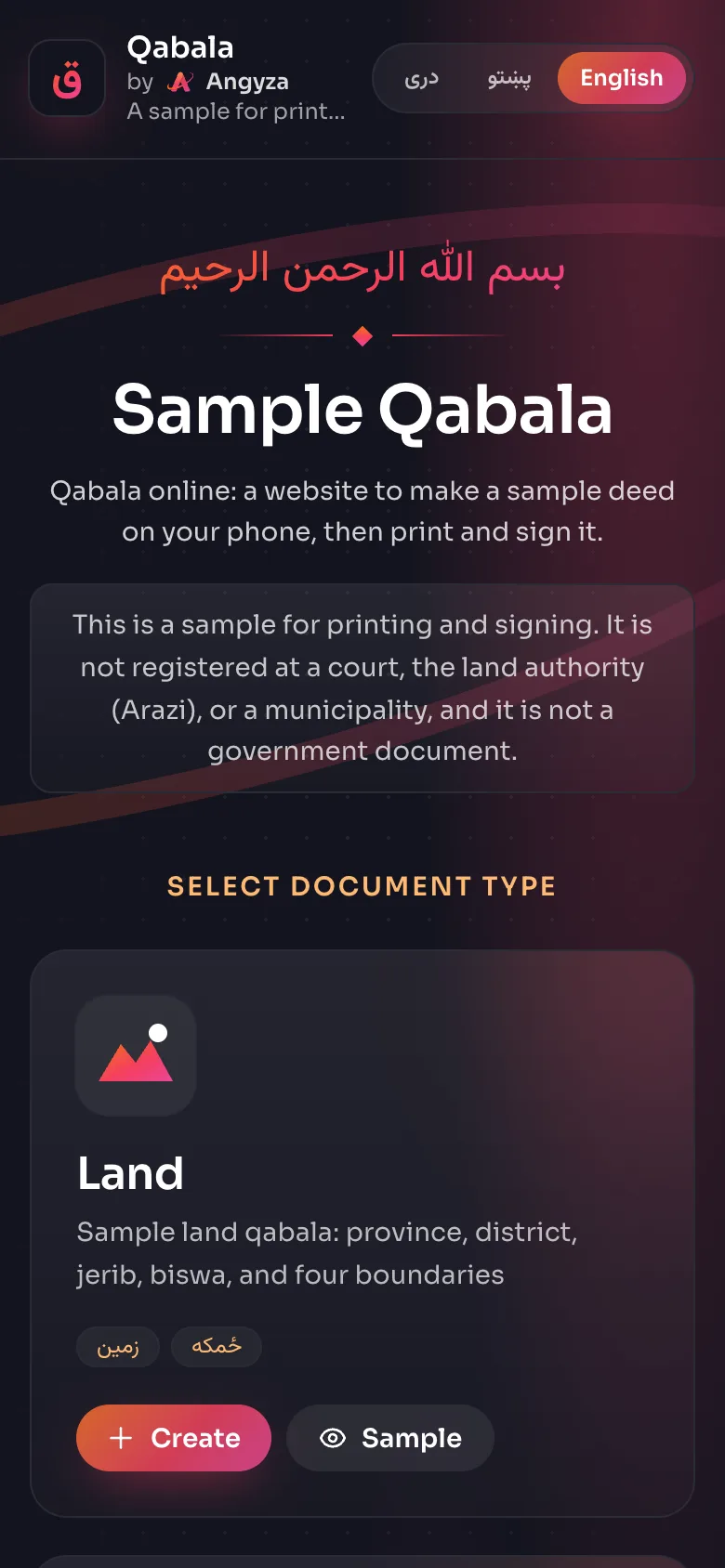
Choose a deed type
Each card on the home screen is one deed type: Land, House, Shop, Vehicle and Garden. Tap Create on the one you need. To look at a finished example first, tap Sample instead. Deed types lists what each type asks for.
Fill in the seller and the buyer
Step 1 is Seller Information and step 2 is Buyer Information. Type the 4 fields for each person, then tap Next. Tap Add Seller or Add Buyer if more than one person is selling or buying.
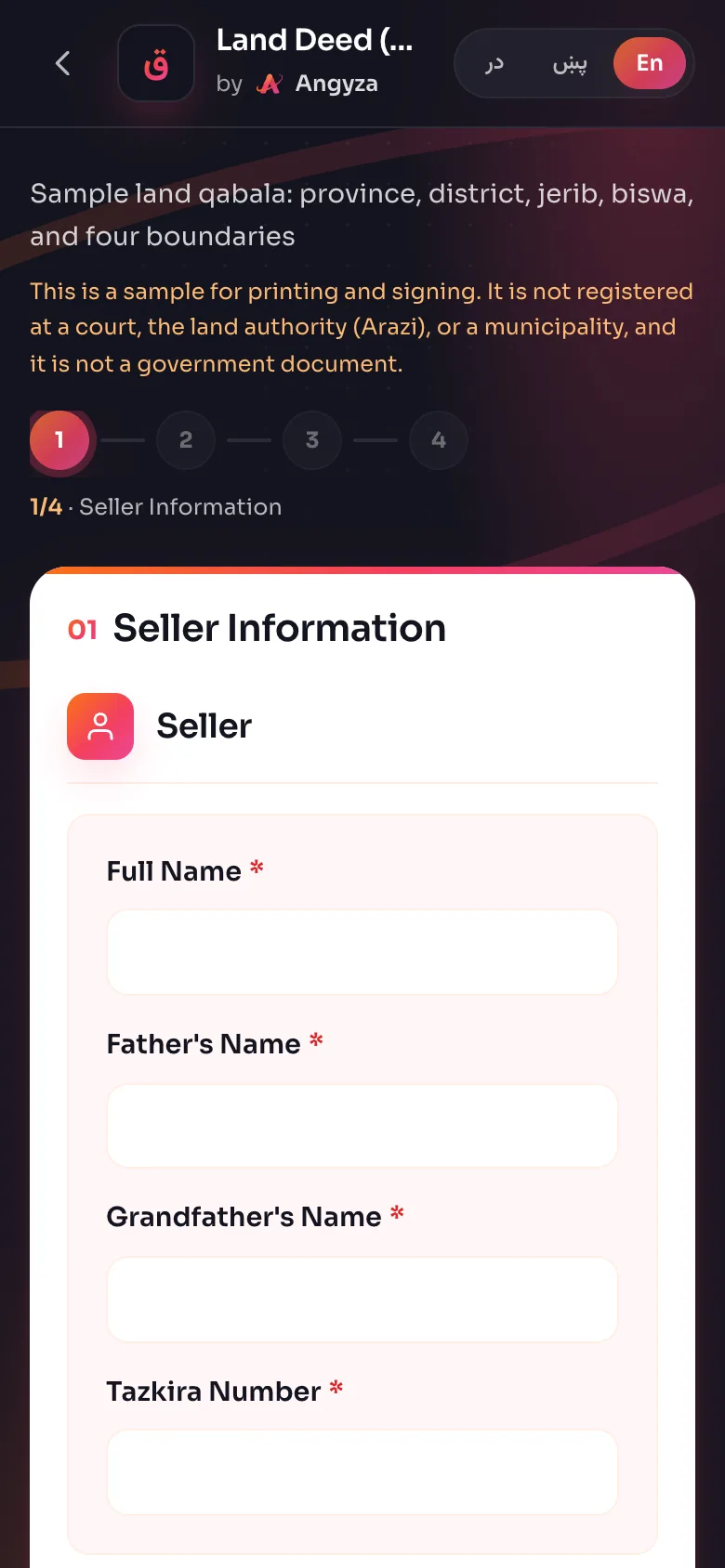
Add the property details
Step 3 is Property Details. Enter the document number, the date, the property, the four boundaries and the price. For land, type the area in square meters or in jerib and biswa, and Qabala fills in the other. See Fill in the form for every field.
Add the witnesses
Step 4 is Witnesses. Type at least 2 witnesses. You can also change the Declaration Text, the sentence where the seller says the sale is by free will.
Check the deed
Tap View Qabala. Read every line of the preview. If something is wrong, tap Back, fix it, and view the deed again.
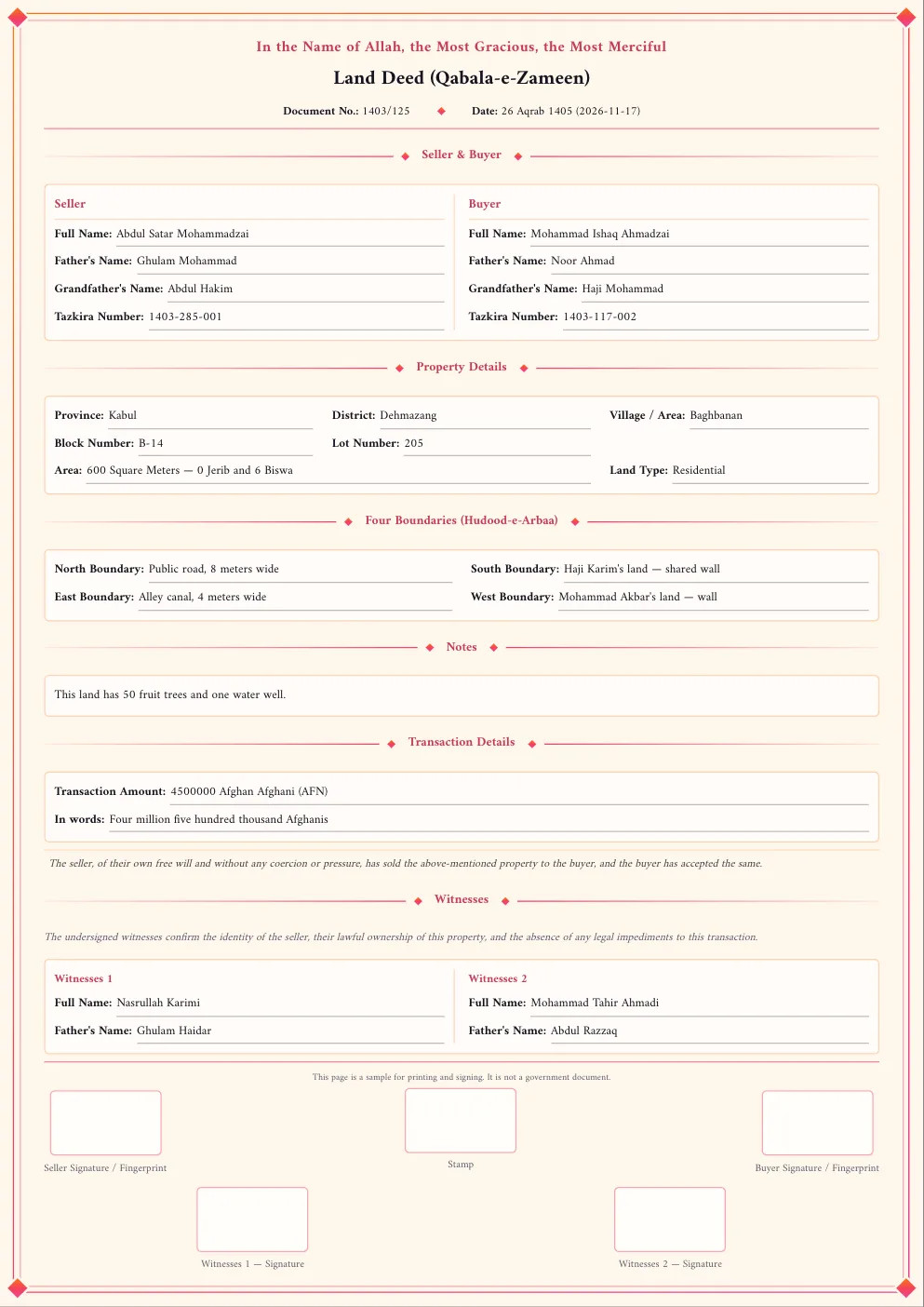
Print, download or share
Tap Print, Download PDF or WhatsApp. Then print the deed, and have the seller, the buyer and the witnesses sign it or put their fingerprint in the boxes. Print, PDF and WhatsApp explains each option.
Try it with sample data
You can see a full deed without typing anything. On the home screen, tap Sample on any card. Qabala fills the form with made-up names and opens the preview straight away.
You can also add ?demo=1 to a deed address, for example https://qabala.angyza.com/en/land?demo=1. The sample data is in the language of the page.
What the finished deed contains
Every deed has the same parts, in this order:
| Part | What it shows |
|---|---|
| Heading | Bismillah, the deed title, document number and date |
| Seller and buyer | Name, father's name, grandfather's name and tazkira number |
| Property | The details for the deed type, including the area in square meters, jerib and biswa |
| Four boundaries | North, south, east and west |
| Price | The amount with currency, and the amount in words |
| Declaration | The seller's statement and the witnesses' statement |
| Signatures | Boxes for signature or fingerprint, a place for a stamp, and the sample notice |
Next steps
- Follow the tutorial Make a land qabala on your phone.
- Add Qabala to your home screen so it works offline: Install and use offline.
- Read the Qabala FAQ.
- Back to the Qabala tool page.