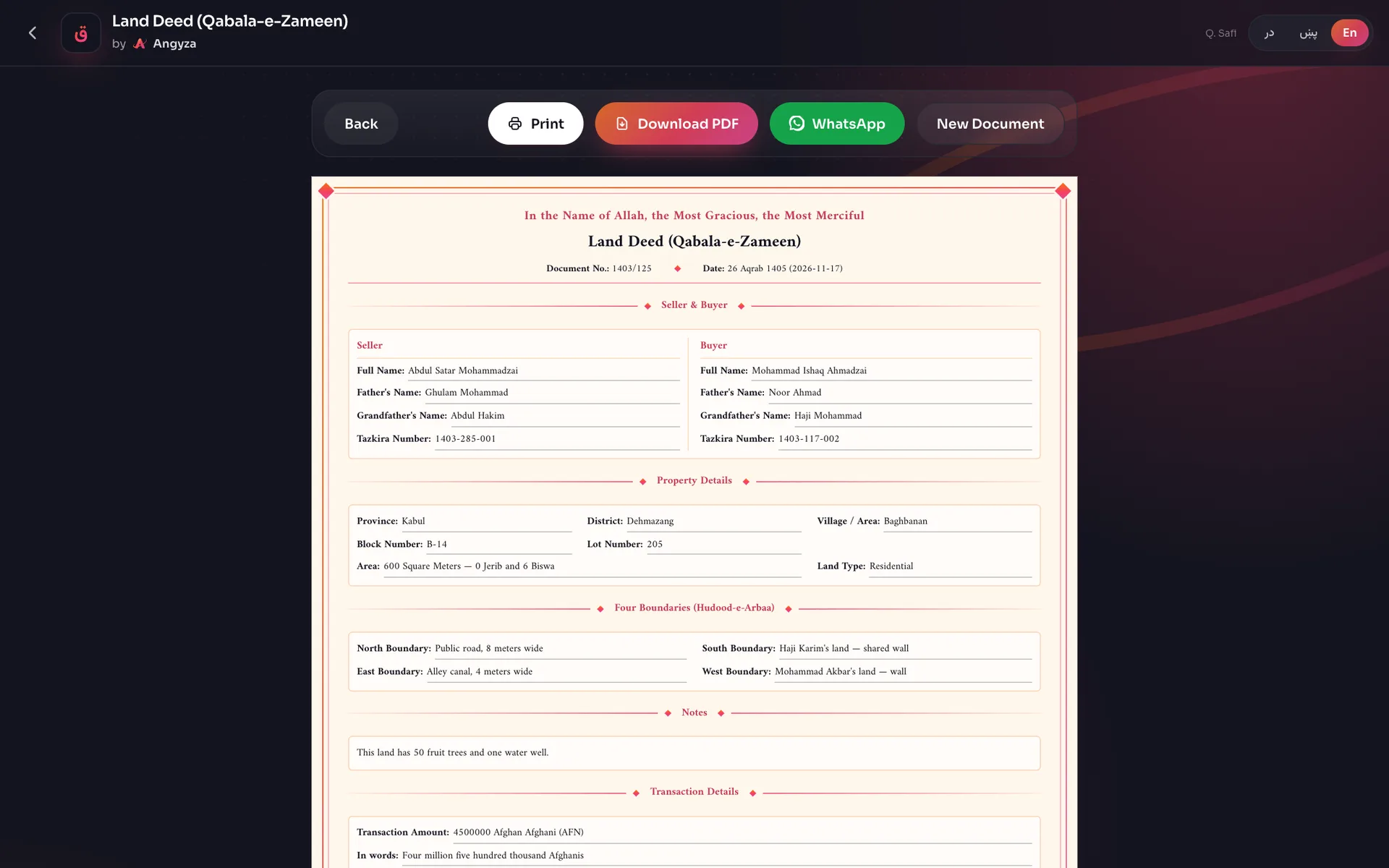
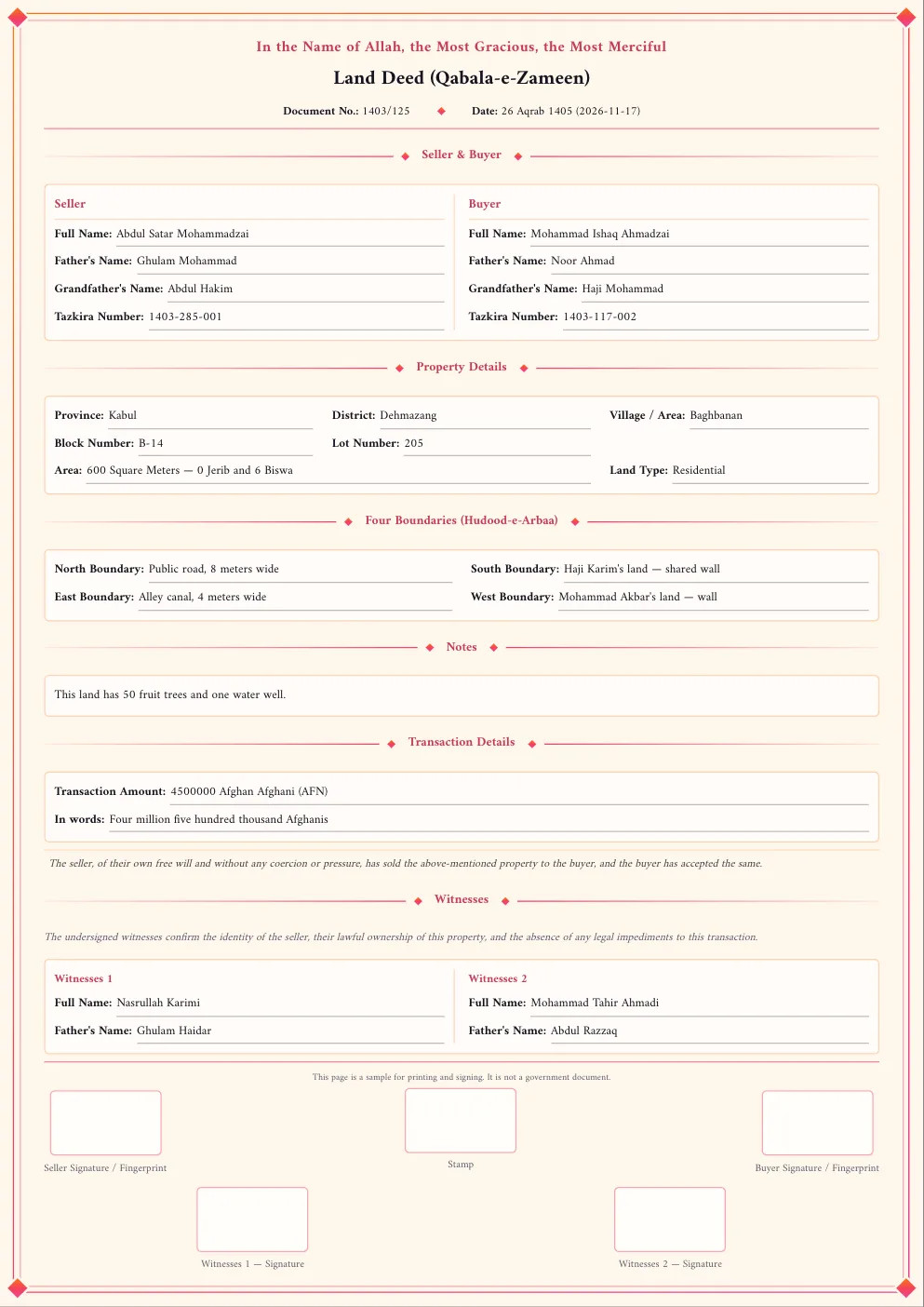
In this tutorial you make a sample land deed (qabala) on your phone with Qabala, ready to print and sign. It takes about 10 minutes. The result is a sample to print and sign, not a government document, and it is not registered at a court or at Arazi.
Before you start, have these ready:
- The full name, father's name, grandfather's name and tazkira number of the seller and the buyer.
- The land's province, district and village, its area, and what touches it on each of the 4 sides.
- The price, in numbers and in words.
- The names and fathers' names of 2 witnesses.
Qabala does not save the form, so try to finish in one go.
Open the land formMake the deed
Open the land form
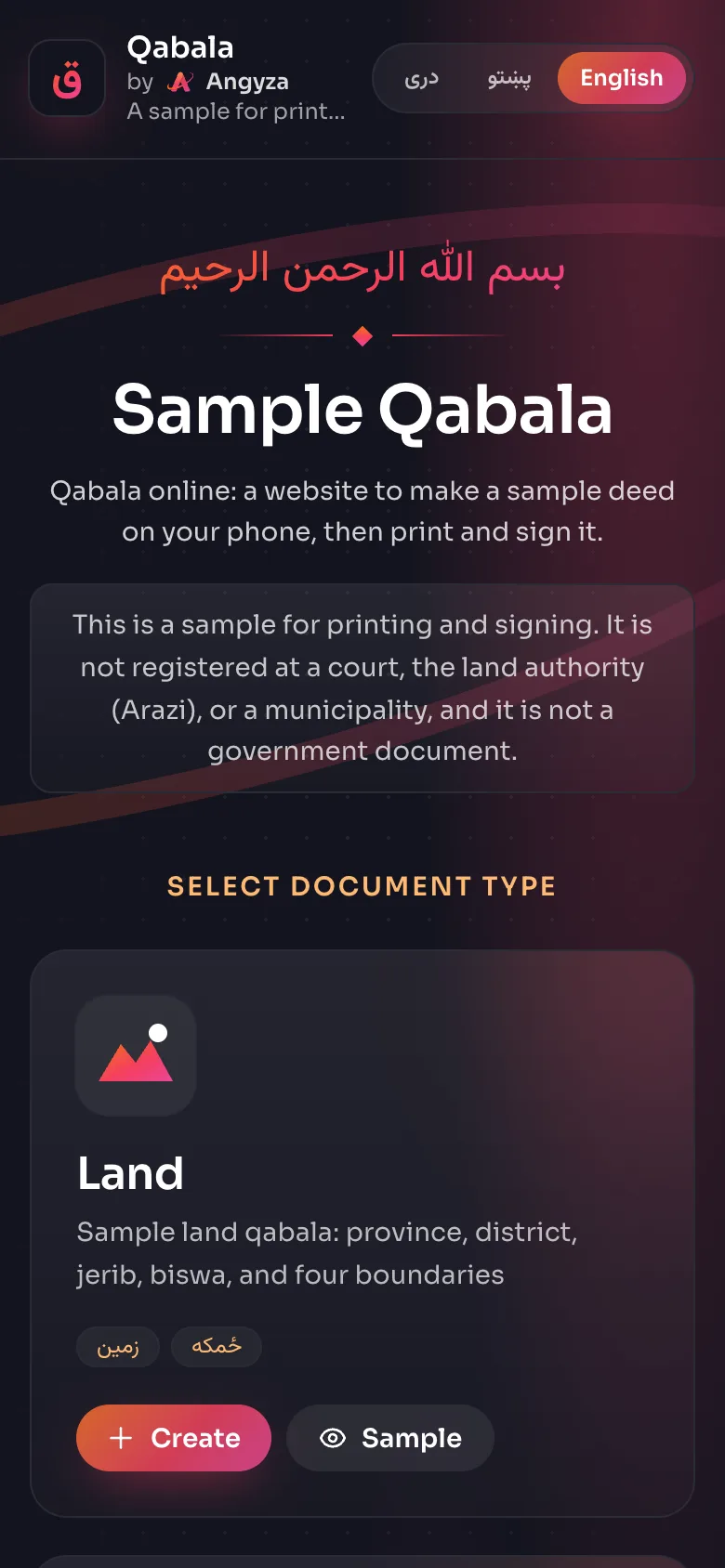
Tap Open the land form above, or open qabala.angyza.com and tap Create on the Land card. Check that English is selected at the top. If you want the deed in Pashto or Dari, tap پښتو or دری now, before you type anything.
Fill in the seller
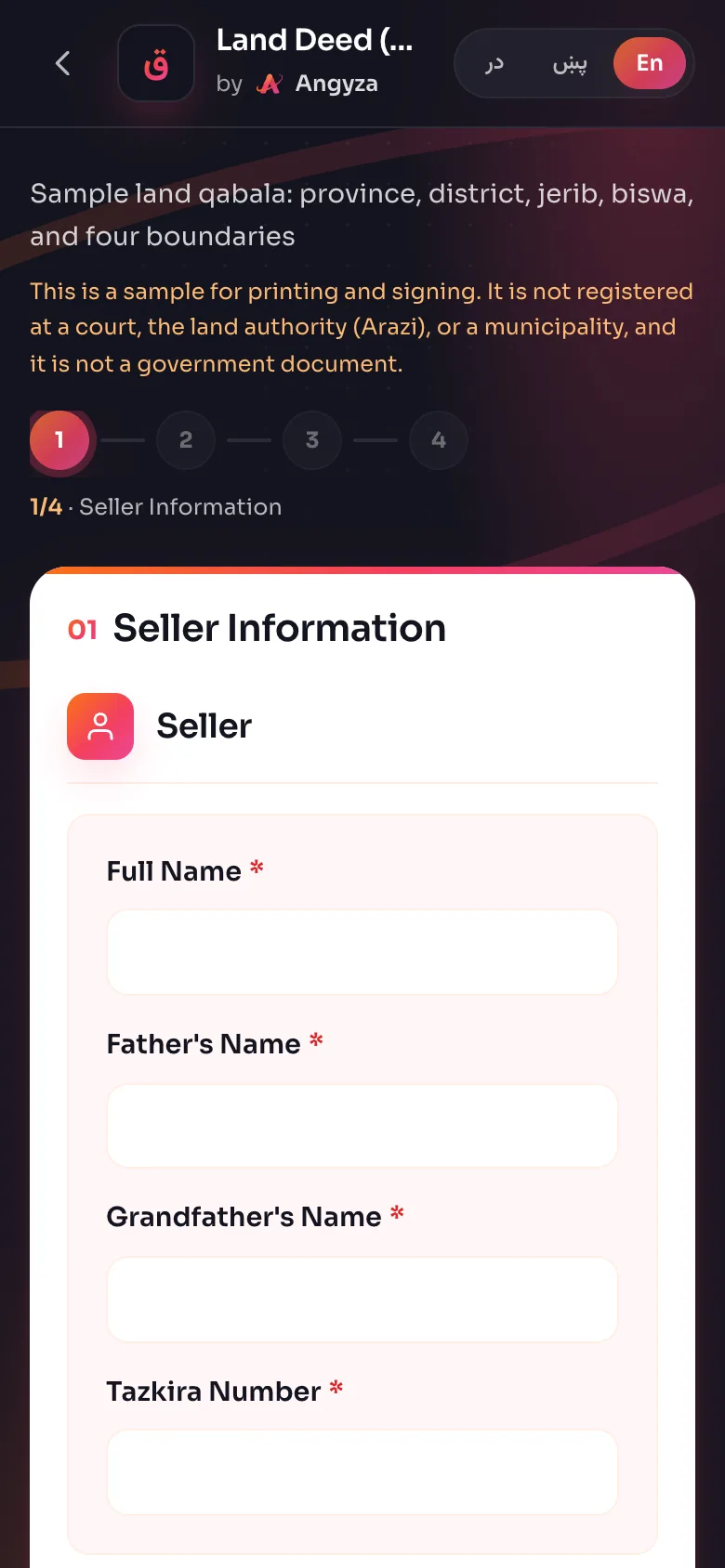
You are on Seller Information. Type the seller's Full Name, Father's Name, Grandfather's Name and Tazkira Number, for example Abdul Satar Mohammadzai, Ghulam Mohammad, Abdul Hakim, 1403-285-001. If 2 brothers sell together, tap Add Seller and fill in the second box. Tap Next.
Fill in the buyer
On Buyer Information, type the same 4 fields for the buyer. Tap Next.
Add the document number and date
On Property Details, type a Document Number, for example
1403/125. The Solar Hijri date already shows today. Change it only if the sale is on another day, typing the year first, like1405/07/08.Add the location and area
Pick the Province, then type the District and Village / Area. Type the area in Square Meters, for example
600. Qabala fills in Jerib and Biswa for you: 0 jerib and 6 biswa. If the old papers give jerib and biswa, type those instead and Qabala fills in the square meters.Choose the land type and the four boundaries
Pick the Land Type: Residential, Agricultural, Commercial or Industrial. Block, lot and previous deed numbers are optional. Then fill in the North, South, East and West Boundary, for example "Public road, 8 meters wide" or "Haji Karim's land, shared wall".
Enter the price
Under Transaction Details, type the price in digits, pick the Currency, and write the price in words, for example "Four million five hundred thousand Afghanis". Add anything else about the land in Notes. Tap Next.
Add the 2 witnesses
On Witnesses, type the Full Name and Father's Name of each witness. Leave the Declaration Text as it is unless the seller and buyer want other wording.
View and check the deed
Tap View Qabala. Read every name, number and boundary aloud with the seller and the buyer. If something is wrong, tap Back, fix it, and view it again. When it is right, tap Download PDF to keep a copy.
Tips
- Copy tazkira numbers from the tazkira itself, not from memory.
- Write boundaries so a stranger could find them: name the neighbor, the road or the canal, and give widths where you know them.
- Read the price in words against the digits before you print.
- To see a finished deed before you start, tap Sample on the Land card.
Next steps
Print the deed or send it on WhatsApp: Print or share the PDF on WhatsApp. For more on area, read Area: jerib and biswa. For every field, see Fill in the form.
Make another land deed