In this tutorial you'll turn 3 or 4 rough bullet points into a finished LinkedIn post, then make a wide image to go with it. You need your Angyza account, your notes, and about 8 credits for the post. The image is optional and costs 15 more.
The example is a founder of a small candle business sharing what they learned from their first 100 customers.
Open WriteWrite down your bullet points
Before you open Angyza AI, write the raw story in 3 or 4 lines. Include what happened, what you learned and any real numbers. Rough is fine:
- first 100 customers, handmade candles
- cracked boxes and slow shipping hurt more than scent
- reviews asked for a lighter wick, we changed it
- handwritten note in every order, people posted about it
Angyza AI is told never to invent statistics, so any number you want in the post has to come from you.
Open Write and pick LinkedIn post
Open Write and click the LinkedIn post template.
This template opens with a one-line hook, uses short paragraphs, shares one clear lesson or story and ends with a question to invite comments. It adds at most 3 hashtags.
ai.angyza.com/app86Instagram captionLinkedIn postX / Twitter postReel / TikTok scriptProduct descriptionHashtagsWrite one Instagram caption for our new iced matcha latte, launching this Friday at our small cafe. Strong hook first line, short lines, a call to action, then 10 hashtags on a separate line. Friendly tone, a few emojis.
Ready for a cool pick‑up? 🍵💚 Our iced matcha latte drops this Friday at the cafe. 💫 Coming in at $[price] – fresh, frothy, and vibrant. 🌱 Swing by, try one, and share your thoughts! 👇 #matcha #icedlatte #cafelife #cafehopping #drinkstagram #coffeelover #yummy #freshdrink #supportlocal #newdrink
Make it shorter and add a question at the end Send2 creditsPreview of the Write screen in Angyza AI, with real outputs. Set the tone
Click Tone and style. Choose Professional or Inspiring for Tone, Medium for Length and turn off Use emojis for a cleaner look. Medium posts are usually 120 to 200 words.
If you write for a company page, add a line to About your business, like "Handmade candle brand from Penang. Honest, warm voice."
Paste your bullet points and send
Paste your notes after a short instruction, then click Send (2 credits):
Turn these notes into a LinkedIn post from me, the founder. One lesson per paragraph. End with a question other small business owners can answer.

- first 100 customers, handmade candles
- cracked boxes and slow shipping hurt more than scent
- reviews asked for a lighter wick, we changed it
- handwritten note in every order, people posted about it
Result: a post with a hook line, a few short paragraphs and a closing question.
LinkedIn postWrite a LinkedIn post from the founder of a small handmade candle business about 3 lessons learned from the first 100 customers. Hook first line, short paragraphs, end with a question. At most 3 hashtags. No emojis.The first 100 customers taught me this: consistency beats flash. When those first orders arrived, I thought a single great scent would make all the difference. I realized that it’s the overall experience—supply chain, packaging, delivery speed, and my replies—that keeps a shopper coming back. If the candle smells good but the box cracks or shipping takes two weeks, that good first impression is gone. I also learned the value of listening. The first 50 reviews were all praise for the scent. The next 50 were polite requests for a lighter wick or a smaller jar size. I didn’t brush them off or rush. I made a new batch and tested a different wick. The upgrade can be a small adjustment in cost—just a few dollars of materials—but it increased repeat orders by a lot. Finally, I discovered that storytelling is the easiest way to make a small process feel personal. I started including a handwritten note on every order. Those notes, short but sincere, made a difference to a buyer who probably only ever bought a candle in bulk. The gesture doubled my email open rate. What’s the biggest lesson your first customers have taught you? #handmadecandle #smallbusiness #customerexperienceReal output from Angyza AI's free models. Yours will differ. Check every claim
Read the post line by line. Free AI sometimes adds details you didn't give it, such as "doubled my open rate" or "increased repeat orders by a lot". If a claim isn't true, ask:
Remove any numbers or results I didn't give you. Keep everything else.Fix small things yourself after you copy it. It's faster than asking.
Try a different hook
The first line decides whether people click see more. Ask for options (2 credits):
Give me 3 other opening lines for this post, numbered 1 to 3. Under 12 words each.Pick the one that sounds most like you, then ask: "Use hook 2 and give me the full post again."
Copy the post
Click Copy under the final answer and paste it into LinkedIn. The line breaks are kept.
Your chat is saved under Recent in Write. To write a shorter version for X later, open the chat, switch to the X / Twitter post template and ask for one.
Add a wide image (optional, 15 credits)
Posts with an image stand out in the feed. Open Images, choose Wide (16:9) and the Cinematic or Photo style, then describe a calm scene that fits your story:
Bright cozy home office desk with a laptop, notebook, coffee mug and green plants by a window, warm afternoon light, cinematic wide shotClick Generate image (15 credits), then Download. To get the exact LinkedIn size of 1200 × 627, click Edit in studio, then Resize and LinkedIn post, and export.
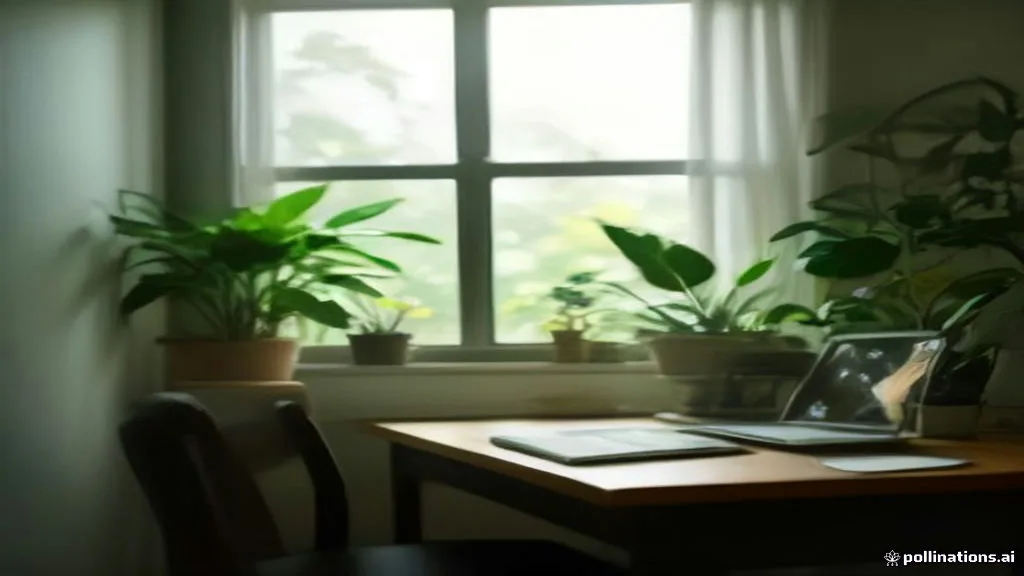
Prompt: Bright cozy home office desk with a laptop, notebook, coffee mug and green plants by a window, warm afternoon light, cinematic wide shot, clean and calm
Tips
- One idea per post. If your notes have 2 stories, make 2 posts.
- End with a real question. Ask something readers can answer from their own work, not "What do you think?"
- Keep paragraphs to 1 or 2 lines. Most people read LinkedIn on a phone.
- Use your own numbers. Write "we changed the wick after 12 reviews asked for it", not "many customers".
- Reuse the story. The same notes work as a Reel script or an Instagram caption. Switch templates in the same chat.
Next steps
- Write captions and posts lists every template and setting.
- Create images explains sizes, styles and Lock seed.
- Write a week of Instagram captions in 10 minutes
- Angyza AI overview